SuperCue Quad
Four machines, one operator, and a screen on the remote that shows what state the show is in. Built for large venues and multi-machine productions.
Last updated: 18 November 2026
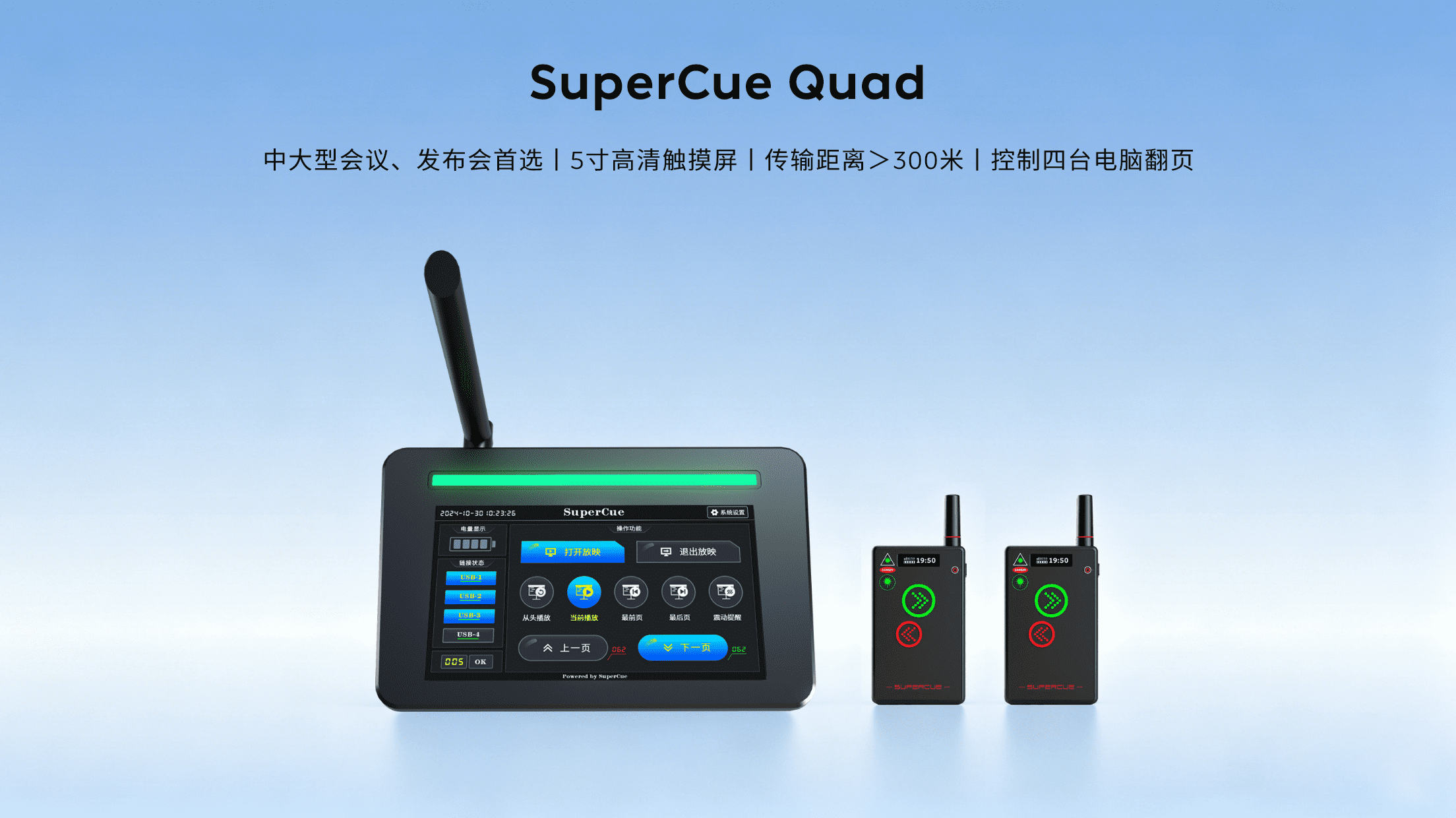
| Specification | Value |
|---|---|
| Model | SuperCue Quad |
| SKU | SUPERCUE-QUAD |
| Computers controlled | 4 |
| Working range | 300 m |
| Radio | 433 MHz digital |
| Control surface | 5-inch touchscreen |
| Best for | large venues, multi-machine shows |
What four computers are actually for
A big show rarely has one source. There is a main deck, a backup, a video playback machine, and often a separate machine driving an overflow screen or a translation slide. Running four ordinary clickers means four people, four chances to lose sync, and no single view of where the show is. The Quad puts all four on one command bus.
The 5-inch touchscreen is the part operators notice most. Instead of remembering which receiver is on which channel, you can see and select the target machine from the remote. For a show with an operator sitting behind the stage rather than holding the clicker, that matters more than any range figure.
Signal and placement
The 433 MHz digital link is rated to 300 m in open space and does not share spectrum with Wi-Fi or Bluetooth. In an indoor venue, put receivers where they have a clear path to the stage; a receiver buried in a rack or behind a steel flight case will lose commands long before you reach the distance limit. The range guide and the interference guide cover the practical checks.
USB-C fast charging means the remote can be topped up from the same charger as the rest of the production kit. For a multi-day event, charge overnight and keep a cable at the operator desk.
Before you buy
Four channels is only useful if you actually have four machines. If the show runs two, SuperCue Dual does the job with less to configure. If you need six channels, a 7-inch screen and the presentation timer link, go straight to Pro. The comparison page lists the differences in one table.
Tell us the number of machines, the room dimensions and whether the operator is on stage or backstage. That is usually enough for us to say whether the Quad or the extender is the right answer.
Common questions
Can one receiver be muted while the others advance?
The Quad can address individual machines from the touchscreen. Tell us how you want the show laid out and we will confirm the exact channel behaviour for the firmware version you would receive.
Does it work with Linux?
Basic page turns work on any machine that accepts HID keyboard commands. The touchscreen configuration utility is Windows-based; see the compatibility page for the detail.
What if the laptop is 120 m from the stage?
That is inside the 300 m rating, but the receiver position is what decides it. The USB-over-Ethernet extender moves the receiver to the stage over network cable while the computer stays backstage.
Keep reading
- SuperCue model comparison
- Full product lineup
- How to choose a presenter
- Working range, explained
- Setup and pairing
- All guides and resources
Tell us the room size, how many computers you need to drive and the destination country, and we will come back with a firm price. Request a quote